
Case study · Kakitangan.com
Claims, from receipt to payment
Expense claims pass through three people: the employee who pays, the manager who approves, and the admin who pays them back. I redesigned the claims module so each of them can see where every ringgit is, and what to do next.
- My role
- Product Designer + PM
- Year
- 2026
- Users
- Employees, managers, HR admins
- Tools
- Figma, HTML prototypes
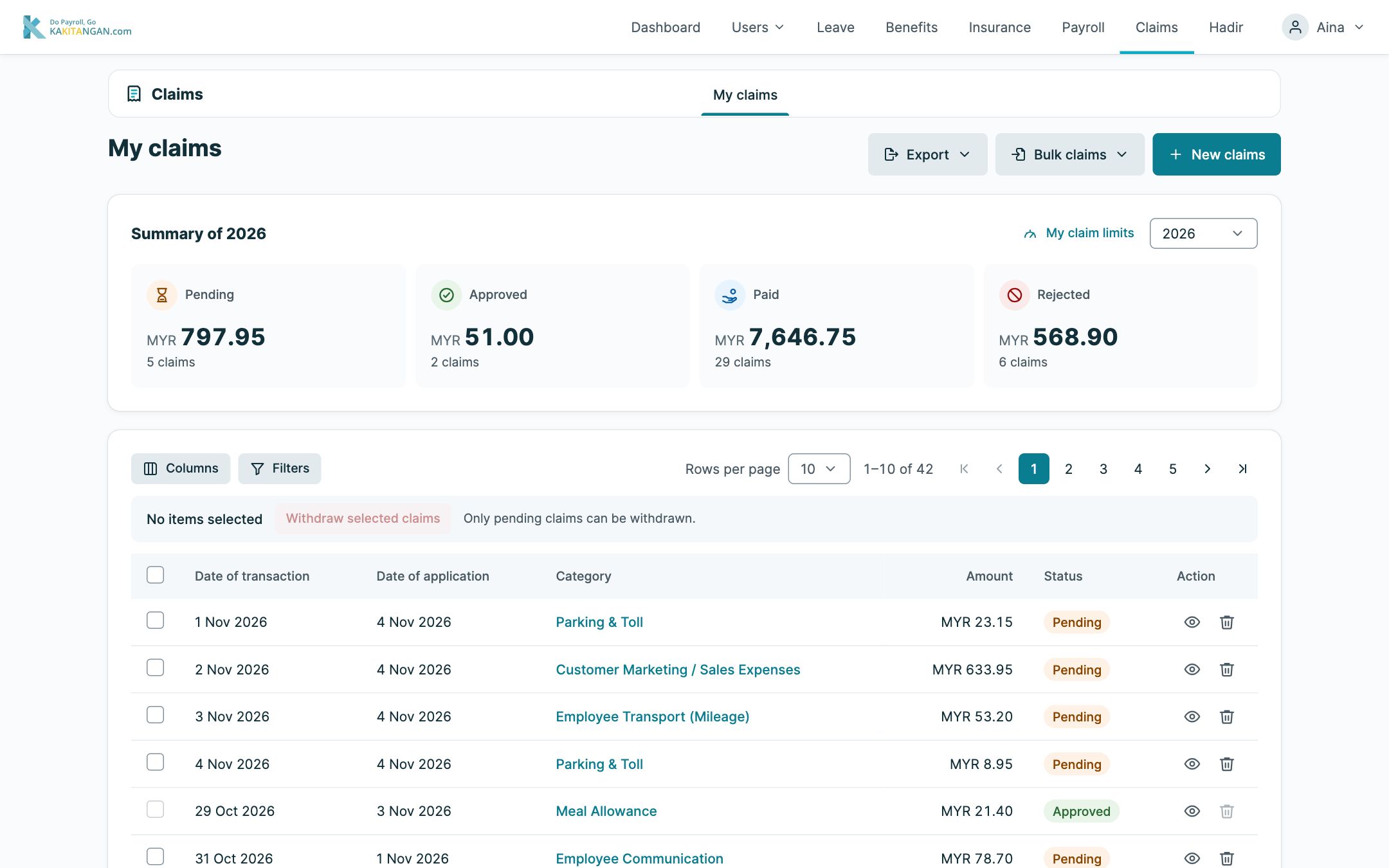
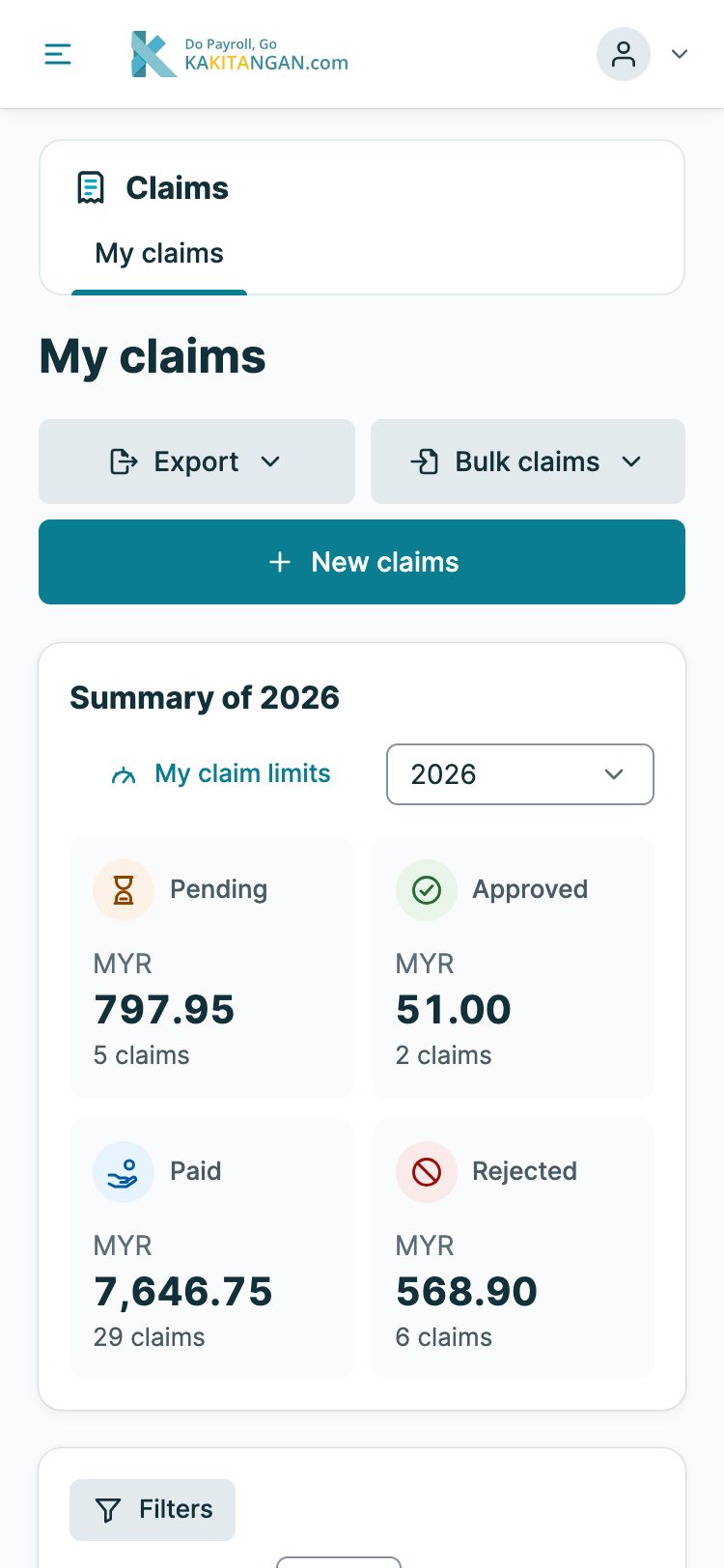
Clickable prototype with sample data. Names and amounts are fictional.
Before and after
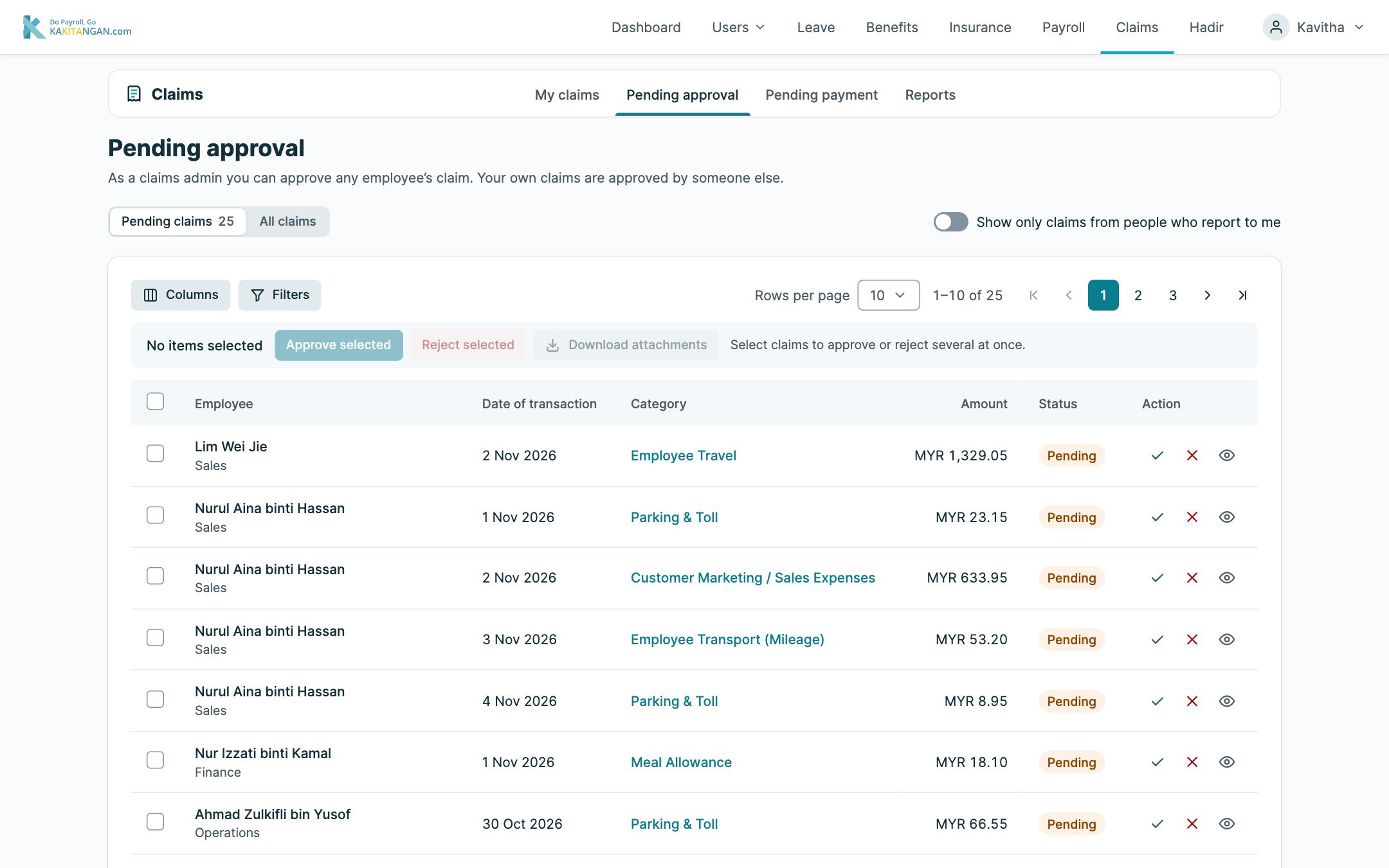
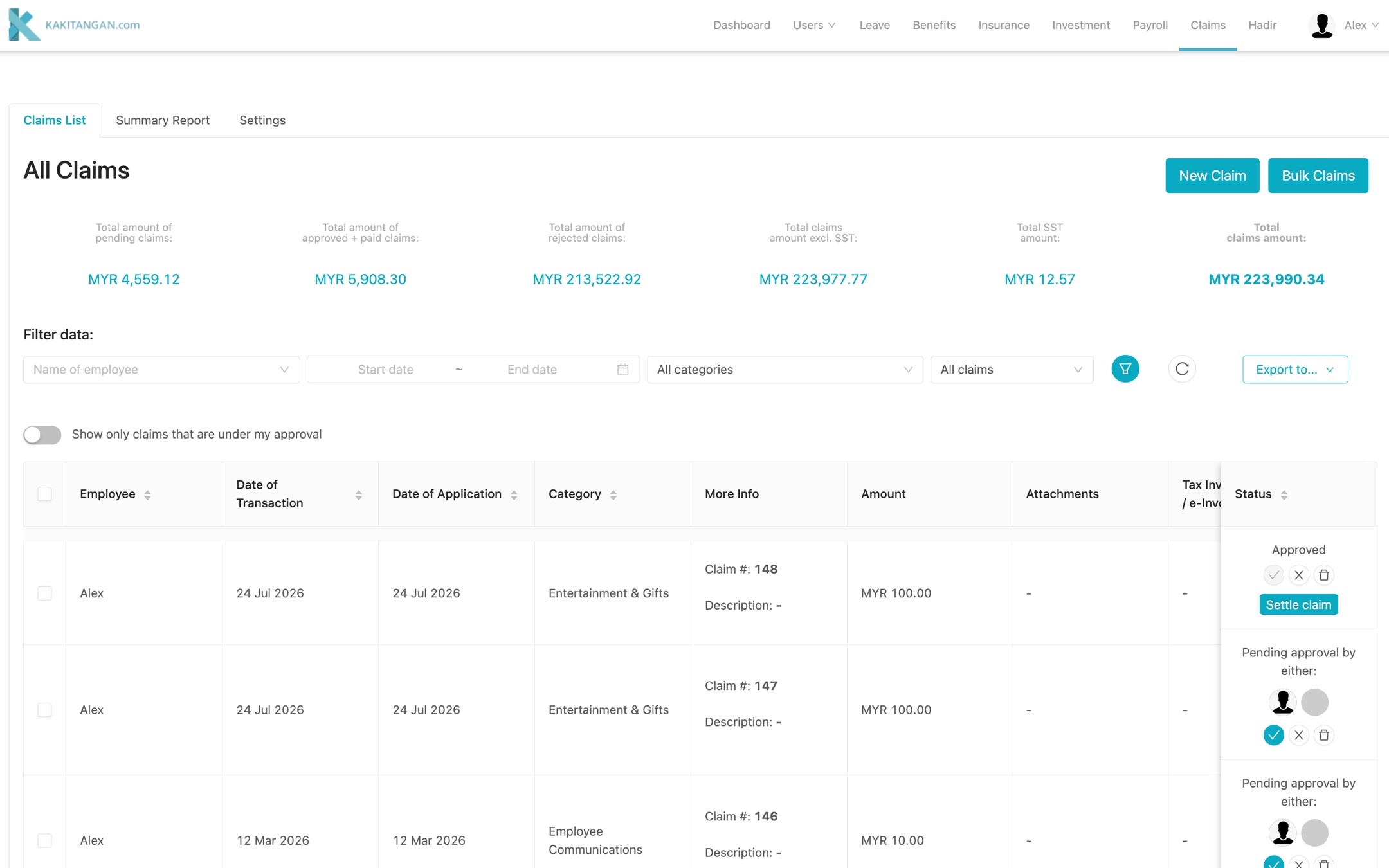
The old claims page was one long list that mixed your own claims, approvals and payments. The redesign splits it into My claims, Pending approval and Pending payment, so each person sees only their job. Drag to compare the old list with the new approvals page.
The module
One module, three roles
Everyone starts on the same page. Extra tabs only appear for the people who need them.
-
Employee
My claims
Submit claims, see their status and check claim limits.
-
Manager
+ Pending approval
Approve or reject their team's claims, one by one or together.
-
HR admin
+ Pending payment and Reports
Pay out approved claims and report on spending.
Design decisions
What each page does
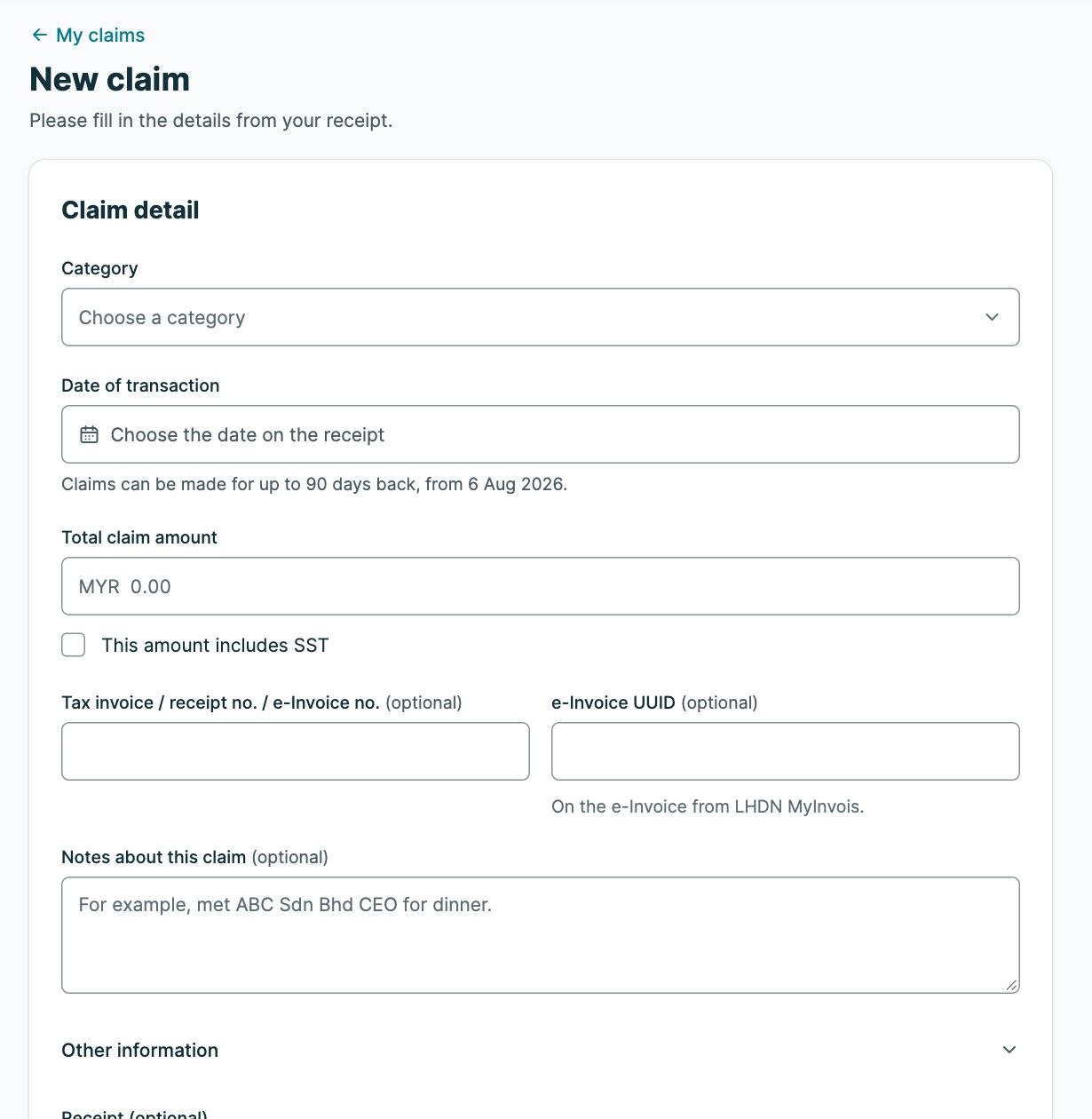
A form that knows Malaysian rules
- The 90-day claim window is shown up front, with the earliest date you can still claim.
- A checkbox for amounts that include SST, and fields for the LHDN MyInvois e-Invoice number.
- The notes field shows an example, so people know what to write.
Approvals with checks and balances
Admins can approve anyone's claim, except their own: those always go to someone else. A switch narrows the list to the people who report to you, and claims can be approved, rejected or downloaded together.
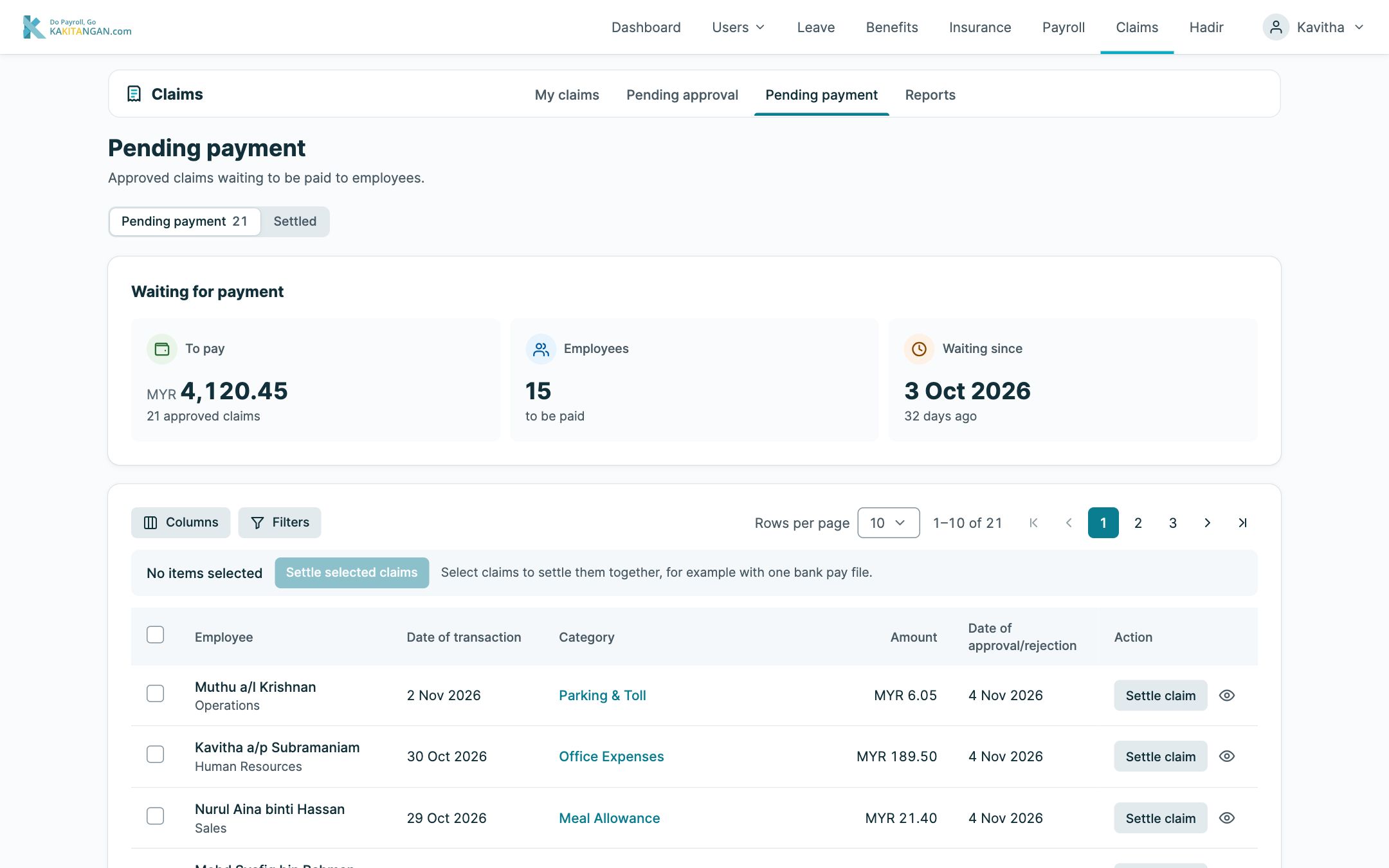
From approved to paid
Approved isn't the end. Pending payment shows how much is owed, to how many people, and how long the oldest claim has waited. Admins can settle claims together, for example with one bank pay file.
Edge cases
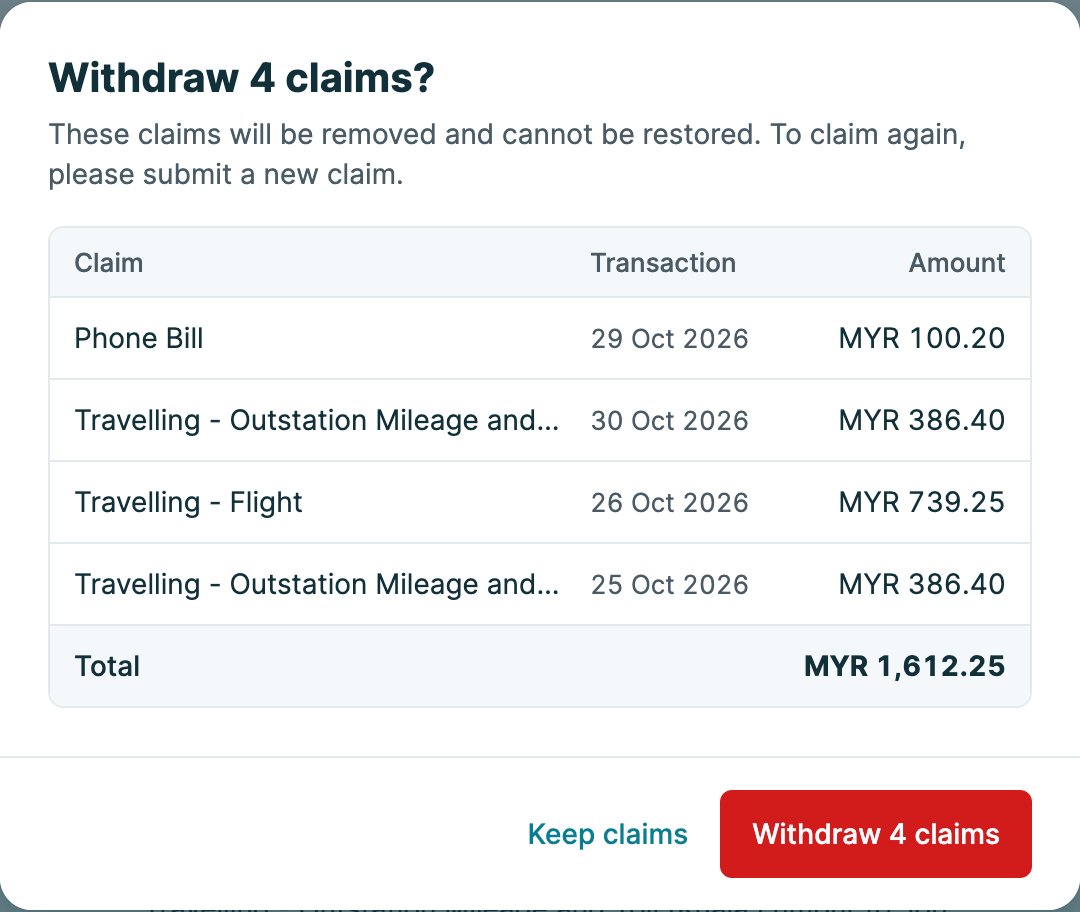
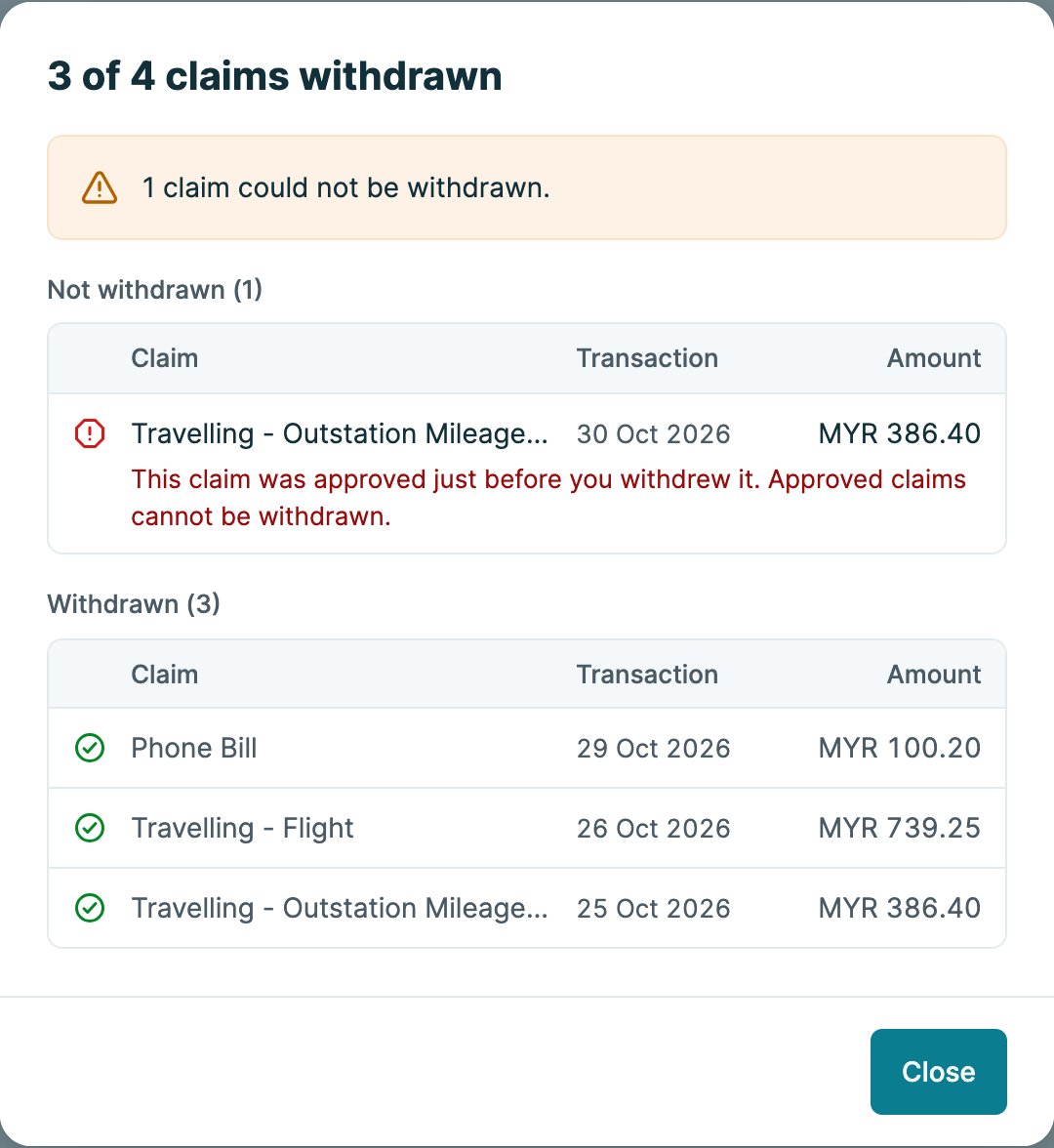
Designing for when things go wrong
Withdrawing several claims at once sounds simple, until a manager approves one of them a second before you click. I prototyped that case, and a dropped connection, before any code was written.
Prototype first
One prototype, every situation
Reviewers can switch roles and company setups in the prototype, so the design is judged on real situations, not just the happy path.
-
3
roles: employee, manager, HR admin
-
2
companies: 14 months of claims, or brand new with none
-
68
claims in one list, to test long tables
-
3
failure states: slow pages, failed loads or saves, dropped connections
Next case study
One design system for every Kakitangan screen